Generating 20 Multilingual Promo Videos from React Code with Remotion
I run Amida-san, an online Amidakuji (lottery ladder) service. For the Product Hunt launch, I needed a 30-second demo video, a 15-second clip for X, and a calmer pitch version — each in English, Japanese, Chinese, and Korean.
You can see the actual videos on the Amida-san top page.
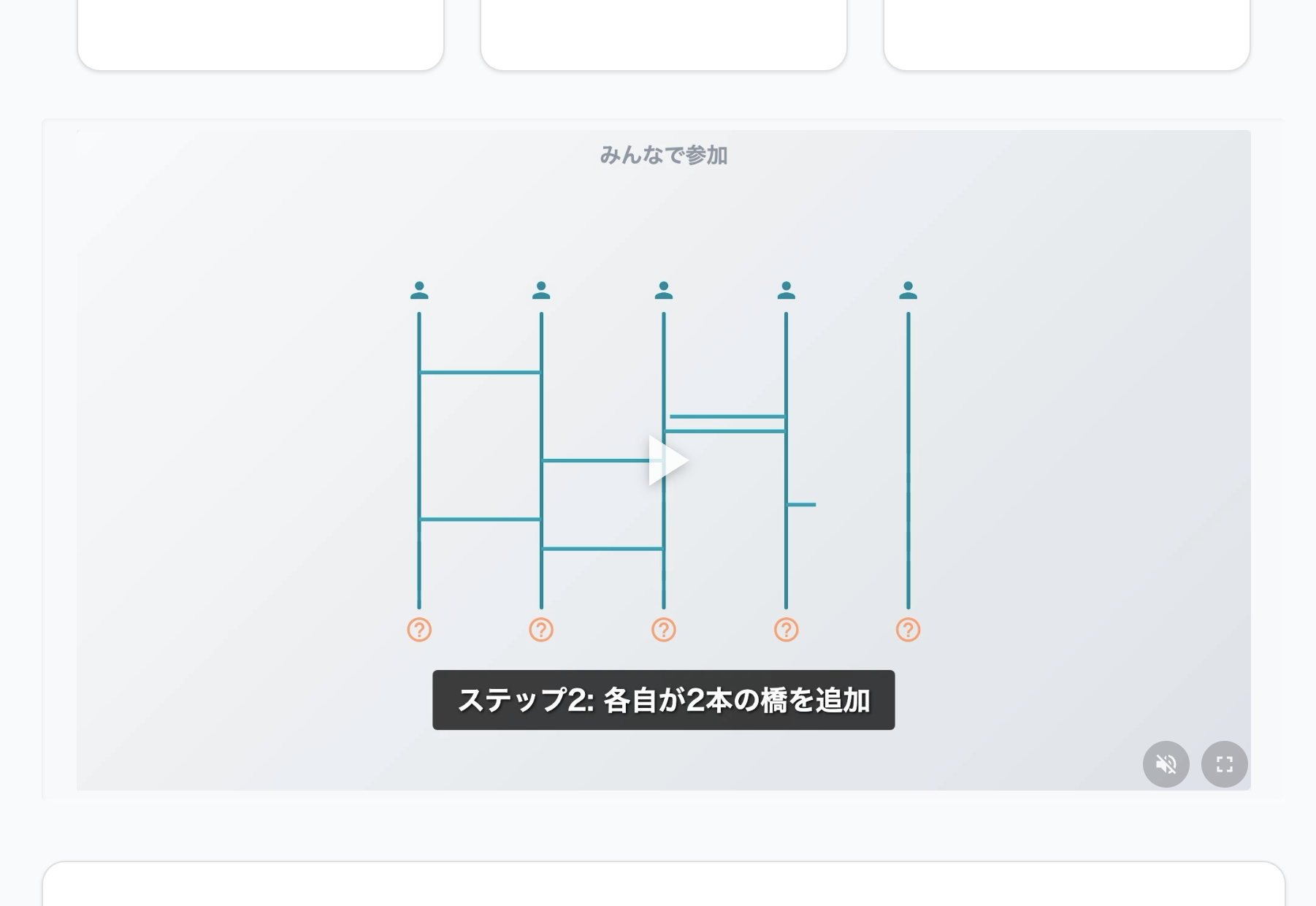 A promo video embedded on the landing page, showing the Amidakuji animation scene.
Doing this manually in a video editor was not realistic. Instead, I wrote everything as React components. Remotion converts JSX to MP4 — scenes are functions, translations are props, and rendering is reproducible.
A single npm run video:render:all command generates all 20 videos (5 versions x 4 languages) in one go.
Architecture — A Standalone Subproject
Remotion ships with heavy dependencies: @remotion/bundler, @remotion/renderer, Webpack toolchain, and ffmpeg bindings. Mixing them into a Vite-based React app bloats node_modules and causes version conflicts.
I separated it into a subproject with its own package.json under a video/ directory.
project-root/
  package.json              # Main app (Vite + React)
  video/
    package.json            # Remotion subproject
    src/
      compositions/         # 6 compositions
      scenes/               # 10 reusable scenes
      constants/            # Render config, Amidakuji config
      components/           # UI parts (Caption, etc.)
    scripts/
      generate-promo-video.ts   # Single video render
      render-all-videos.ts      # 20-video batch render
  src/
    shared/
      videoMetadata.ts      # Metadata shared between main app and video
Iterating with Remotion Studio
During development, npx remotion studio launches a browser-based editor. You select compositions from the sidebar and scrub the timeline to inspect frame by frame.
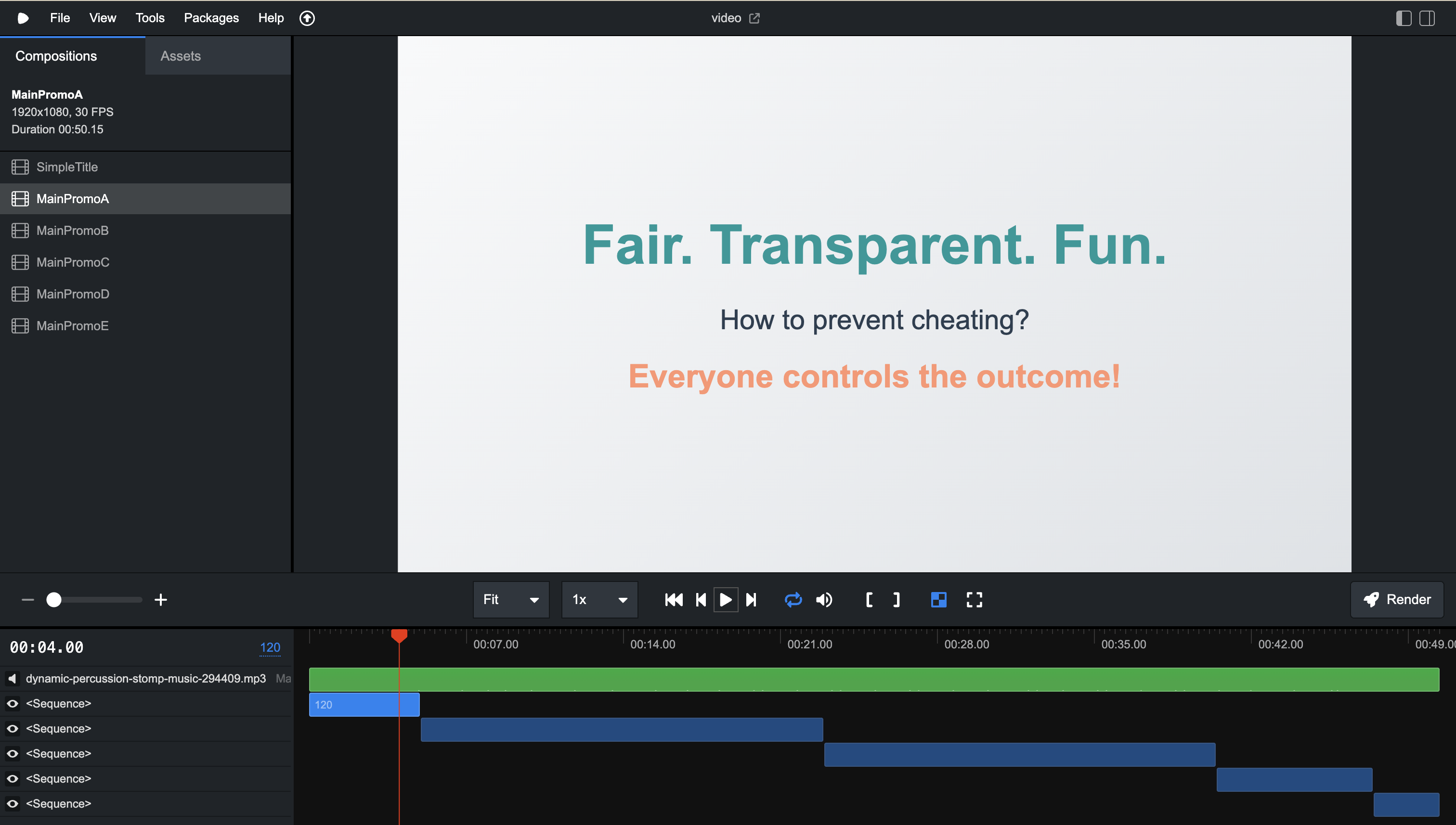 Remotion Studio. Composition list on the left, timeline with Sequence layout at the bottom.
Switch the language prop from the sidebar to preview each language version on the spot — changes hot-reload instantly. Being able to fine-tune timing in the browser before rendering to MP4 is one of Remotion’s advantages.
Composition Versioning — 5 Formats
Different platforms require different videos, so I prepared 5 versions:
| Version | Duration | Target | Style |
|---|---|---|---|
| A | ~50s | Product Hunt (full demo) | Problem-solution |
| B | ~43s | Product Hunt (visual-first) | Animation-driven |
| C | 30s | General purpose (recommended) | Balanced |
| D | 15s | X, TikTok, social media | Hook + CTA only |
| E | 30s | Business / pitch deck | Restrained animations |
Each version is an independent composition component (MainPromoA.tsx through MainPromoE.tsx) that assembles scenes with Remotion’s <Sequence>. Here is the structure for the 30-second version C:
export const MainPromoC: React.FC<Props> = ({ language }) => {
  const introDuration = 3 * FPS;
  const amidaDuration = 11 * FPS;
  const ballDuration = 10 * FPS;
  const featuresDuration = 3 * FPS;
  const ctaDuration = 3 * FPS;

  return (
    <AbsoluteFill>
      <Audio src={staticFile("audio/bgm.mp3")} volume={0.4} />

      <Sequence from={0} durationInFrames={introDuration}>
        <IntroSceneV2 language={language} />
      </Sequence>

      <Sequence from={introDuration} durationInFrames={amidaDuration}>
        <Amida2DScene
          language={language}
          showWebAppDemo
          videoDelayFrames={6 * FPS}
        />
      </Sequence>

      <Sequence
        from={introDuration + amidaDuration}
        durationInFrames={ballDuration}
      >
        <BallAnimationScene language={language} showWebAppDemo showAnimation />
      </Sequence>

      <Sequence
        from={introDuration + amidaDuration + ballDuration}
        durationInFrames={featuresDuration}
      >
        <FeaturesGridScene language={language} />
      </Sequence>

      <Sequence
        from={introDuration + amidaDuration + ballDuration + featuresDuration}
        durationInFrames={ctaDuration}
      >
        <CTAScene language={language} />
      </Sequence>
    </AbsoluteFill>
  );
};
Multilingual Support and Cultural Adaptation
Each scene receives a language prop ('en' | 'ja' | 'zh' | 'ko') and selects display content from a local text map.
const texts = {
  en: {
    hook: "Can your team trust the lottery?",
    proof: "Trusted by 20,000+ users",
    solution: "Everyone participates. Nobody cheats.",
  },
  ja: {
    hook: "Are the drawings really fair?",
    proof: "Used by 20,000+ people",
    solution: "Everyone joins. Zero fraud.",
  },
  zh: {
    hook: "Is your drawing really fair?",
    proof: "Trusted by 20,000+ users",
    solution: "Everyone participates. Zero cheating.",
  },
  ko: {
    hook: "Is your lottery really fair?",
    proof: "Used by 20,000+ people",
    solution: "Everyone participates. Zero fraud.",
  },
};
Rather than literal translations, natural-sounding expressions take priority in each language. Fonts also switch per language using system fonts.
Reusable Scene Components
The 5 compositions share 10 scene components:
| Scene | Used in | Role |
|---|---|---|
| IntroSceneV2 | C, D | Spring-scaled hook |
| IntroScene | A, B | Longer narrative intro |
| IntroSceneSubtle | E | Restrained fade-in intro |
| Amida2DScene | A, B, C | SVG Amidakuji animation |
| BallAnimationScene | A, B, C | Ball drop + web app demo |
| FeaturesScene | A | Feature walkthrough |
| FeaturesGridScene | B, C | Compact feature grid |
| FeaturesGridSceneSubtle | E | Restrained feature grid |
| CTAScene | A, B, C, D | Standard CTA |
| CTASceneSubtle | E | Business-oriented CTA |
Layout constants are centralized in amidaConfig.ts and shared between the animation scene and ball-drop scene.
Batch Rendering — Bundle Once, Render 20 Times
The key to batch processing is minimizing bundle() calls. Remotion’s bundle() runs Webpack internally, which is expensive. The batch script runs bundle() once and loops renderMedia() 20 times against the same bundle.
const renderAllVideos = async () => {
  // Bundle once
  const bundled = await bundle({
    entryPoint: path.join(VIDEO_DIR, "src", "index.ts"),
    webpackOverride: (config) => config,
  });

  // Render 20 times sequentially
  for (const comp of compositions) {
    const composition = await selectComposition({
      serveUrl: bundled,
      id: comp.id,
      inputProps: comp.inputProps,
    });

    await renderMedia({
      composition,
      serveUrl: bundled,
      codec: "h264",
      outputLocation: path.join(OUTPUT_DIR, comp.filename),
      inputProps: comp.inputProps,
    });
  }
};
A flat array enumerates all combinations of composition ID and language, which the loop iterates over.
How Each Composition Determines Its Duration
Versions A and B embed actual web app screen recordings. Since recording length varies by language (the Japanese demo is longer), calculateMetadata resolves duration dynamically at render time.
<Composition
  id="MainPromoA"
  component={MainPromoA}
  durationInFrames={300} // Initial placeholder
  calculateMetadata={async ({ props }) => {
    const durations = await calculatePromoDuration(props.language);
    const totalDuration =
      introDuration +
      durations.amidaSceneDuration +
      durations.ballSceneDuration +
      featuresDuration +
      ctaDuration;
    return {
      durationInFrames: totalDuration,
      props: { ...props, ...durations },
    };
  }}
/>
Conclusion
Adding a new language means adding entries to each scene’s text map and appending 4 lines to the composition matrix. Adding a new version just requires one composition file that rearranges existing scenes.
All 20 videos, 5 versions, 4 languages — the entire pipeline regenerates with a single command.
If your product needs multilingual, multi-format video assets, writing videos as React components is a strong option. Want to change a tagline, swap a font, or add a 6th version? That’s where the initial setup cost pays off.
If you need a fair, participatory lottery, try Amida-san!